


Classroom Technology Feedback Devices for Faculty

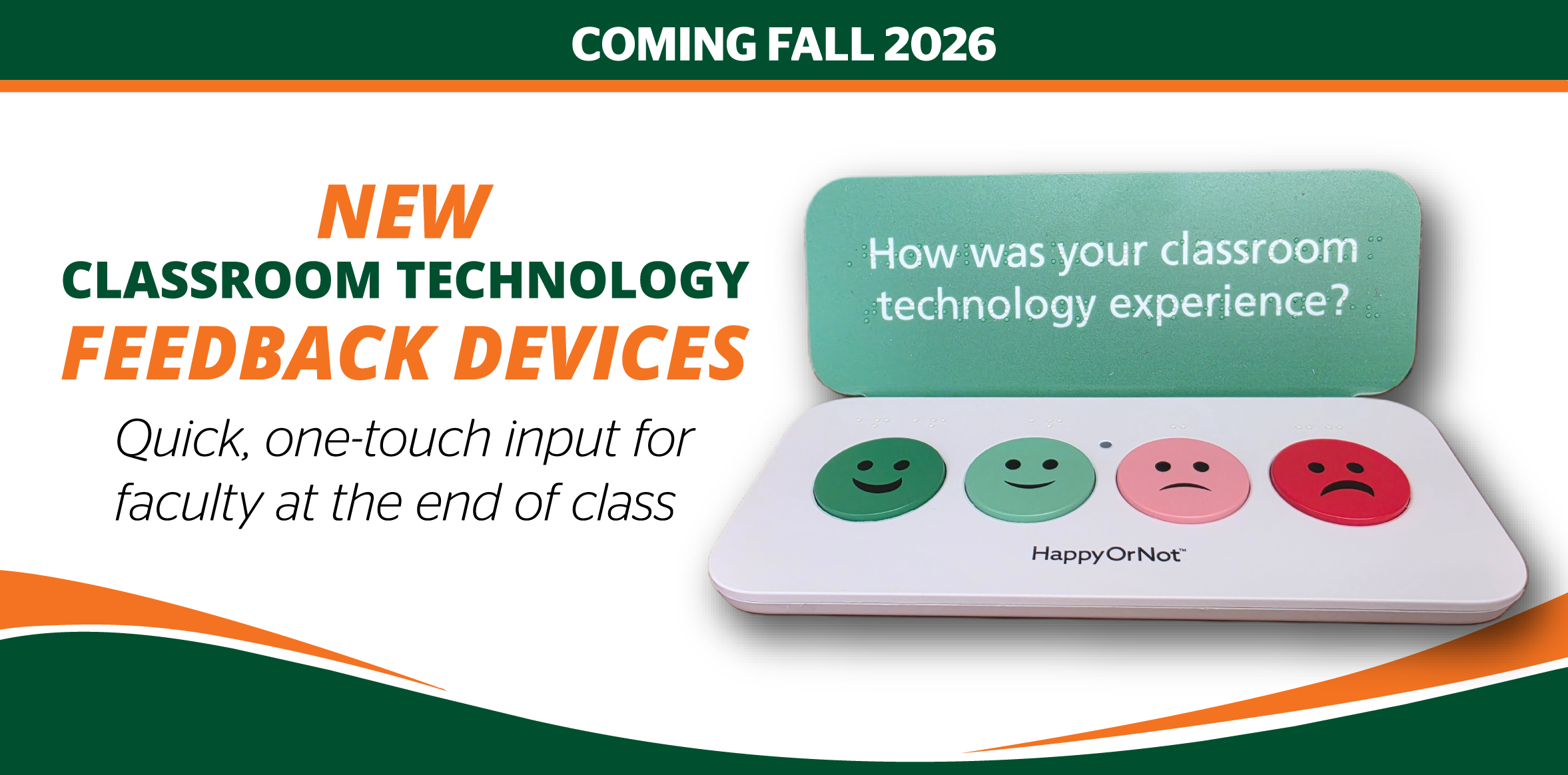
In the Fall 2026 semester, we are introducing HappyOrNotTM feedback button devices in 360 classrooms as part of our continued efforts to better understand and enhance the classroom experience at the University of Miami.

These devices are for faculty use only and allow faculty to provide quick, one-touch feedback on your classroom technology experience at the end of any session. The goal is to capture high-level, faculty sentiment in a simple and unobtrusive way.


When you should use the HappyOrNotTM buttons:

Faculty – At the end of your class session, select the option that reflects your experience:

Cards

Positive Experience?

  • Classroom technology worked as expected.
  • No disruptions impacted your session.
  • The experience was smooth and effective.

Press the green (happy) button.
Challenging Experience?

  • You experienced technical issues or disruptions.
  • Something did not work as expected.
  • The session did not go as planned.

Press the red button (or another that best fits).

This tool is designed to capture overall experience with classroom technology—not to resolve issues in real time.

Important: Responses do not yet generate support tickets, alerts, or follow-up actions; this is a future enhancement. For now, if you experience an issue that requires assistance, please continue using the existing classroom support processes.


Frequently Asked Questions

Accordion Group

Open All Tabs
  • What is the purpose of the HappyOrNot classroom technology feedback devices?

    • The HappyOrNotTM devices provide a quick and easy way for faculty to share their classroom technology experience after teaching in a room. The feedback collected helps University of Miami Information Technology & Systems (ITS) identify trends and make data-informed decisions about future classroom technology improvements.

    • For reference, classroom technology includes devices such as:
      • Podium computer
      • Microphone
      • Projector
      • Sound system
      • Classroom AV controls
      • Connection to WiFi

    • Use the device after teaching in a classroom to share your overall experience with the room's technology. Your honest feedback helps us understand what's working well, where challenges exist, and where improvements may be needed.

  • Who will see my feedback, and how will it be used?

    • The teams responsible for classroom technology planning and support will review feedback data weekly as part of a larger set of responses from faculty across the University. The focus is on improving the overall classroom technology experience through medium-term plans across the semester.

  • Will pressing the button report a problem or create a support ticket?

    • Responses do not yet generate support tickets, alerts, or follow-up actions; this is a future enhancement.

    • Important: If you need assistance with a classroom technology issue, please continue to follow the classroom's established support process.

  • How often should I submit feedback?

    • Faculty are encouraged to provide feedback whenever they teach in a classroom equipped with a feedback device. Frequent participation provides a more complete picture of the classroom technology experience.

  • How does my feedback make a difference?

    • Every response helps us better understand the faculty experience across classrooms. Over time, your feedback helps identify trends and prioritize improvements.

  • Does the device capture my feedback anonymously?

    • The device does not ask for your name, University of Miami credentials, or other identifying information when feedback is submitted. Feedback data is reviewed in aggregate to identify trends and opportunities for improvement; however, if a pattern of dissatisfaction is identified, we may reach out to faculty who teach in that classroom to ask for additional feedback.

  • Is the feedback being monitored in real-time?

    • No. While feedback is collected in real-time, it is primarily used to identify trends over time. Feedback data will be reviewed and analyzed weekly to help guide planning and improvement efforts.

  • When will all classrooms have a HappyOrNot classroom technology feedback devices?

    • As of Wednesday, August 12, 2026, faculty are already seeing these devices in classrooms—with planned full installation of devices in all 360 identified classrooms by the end of September 2026.


HappyOrNotTM feedback will be reviewed weekly to identify trends and inform future classroom technology improvements.

If you have questions about this initiative, please contact Dacia Simpson, Executive Director, Audio-Visual Infrastructure & Classroom Management (OCM), at simpsond@miami.edu.

Top