Finding and Preparing Your Course Content
Learn where to find your existing course materials, how to access migrated content, and what to know before copying materials into your live Canvas course.
Migrated Blackboard Content
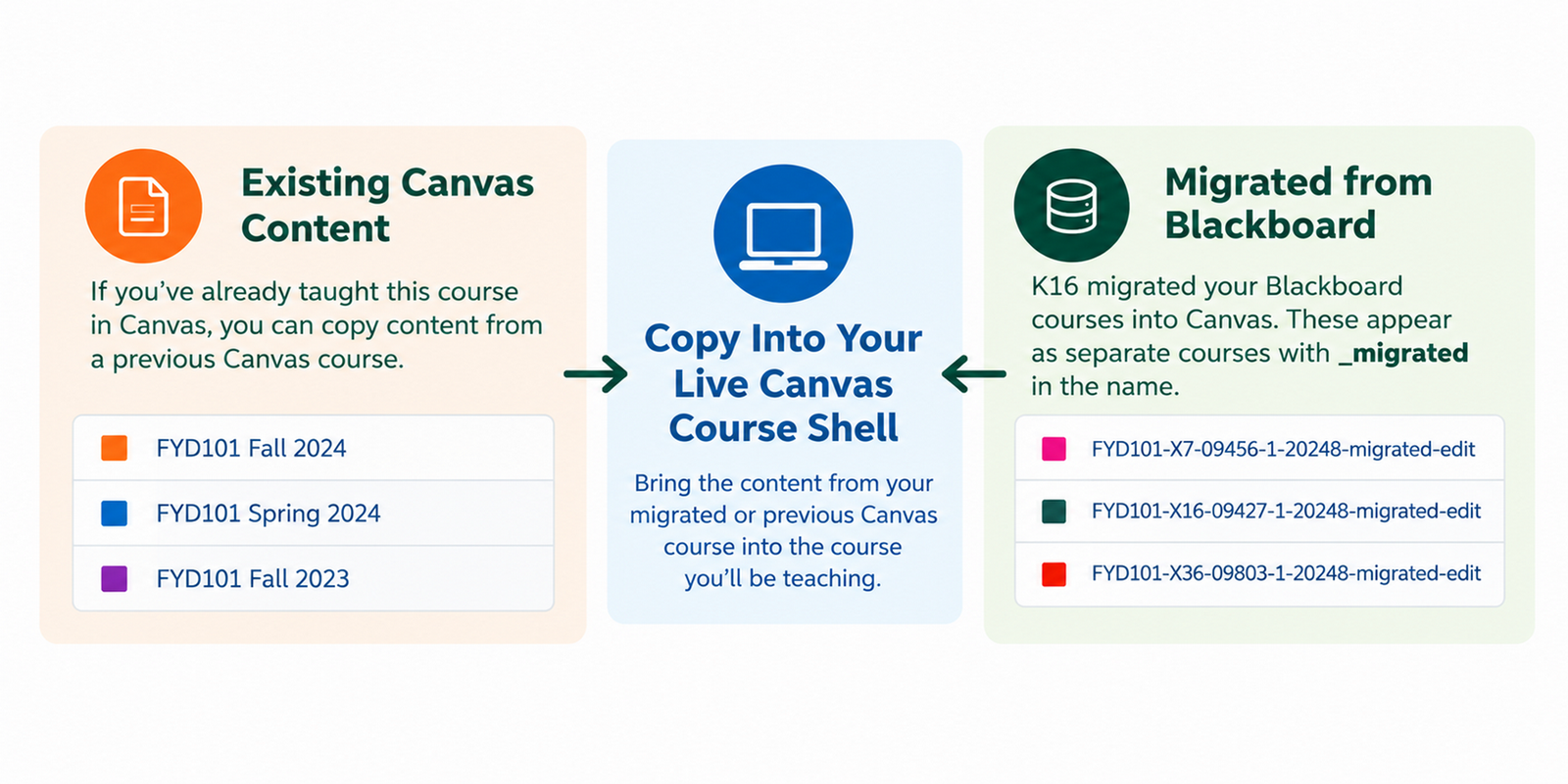
We migrated eligible Blackboard course content into Canvas. These migrated courses are content-only copies, meaning they are not connected to CaneLink and are not intended to be used directly for instruction.
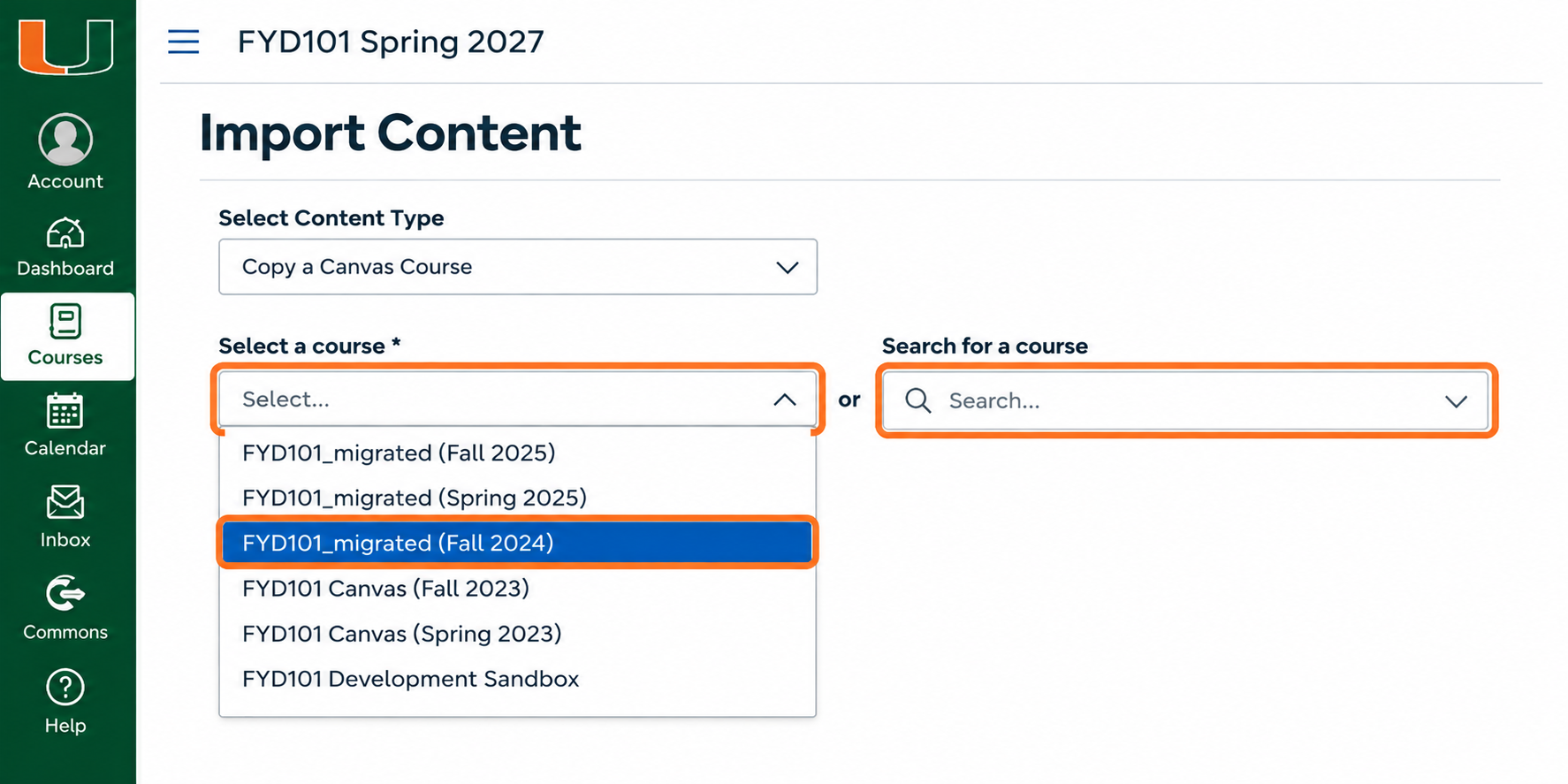
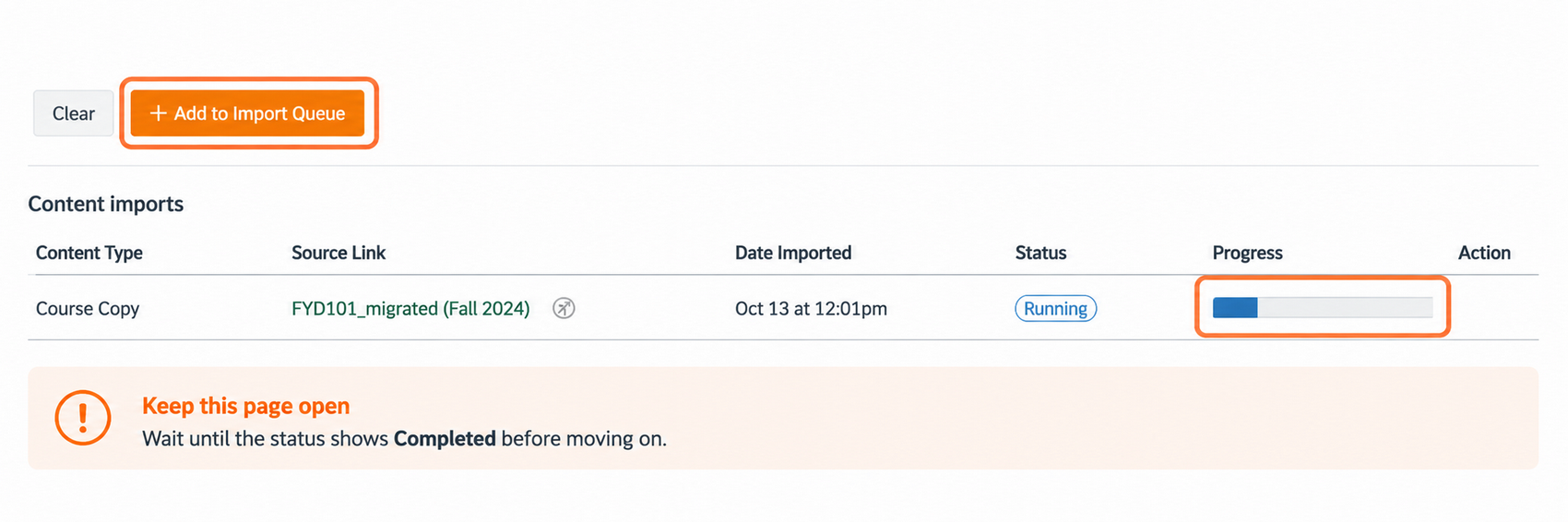
Faculty can review their migrated courses and copy the materials they want to reuse into their official live Canvas course shells, where students are enrolled.
How Can I See My Migrated Courses?
You can find and review your migrated Blackboard course content directly in Canvas:
- Sign in to Canvas using your University of Miami credentials.
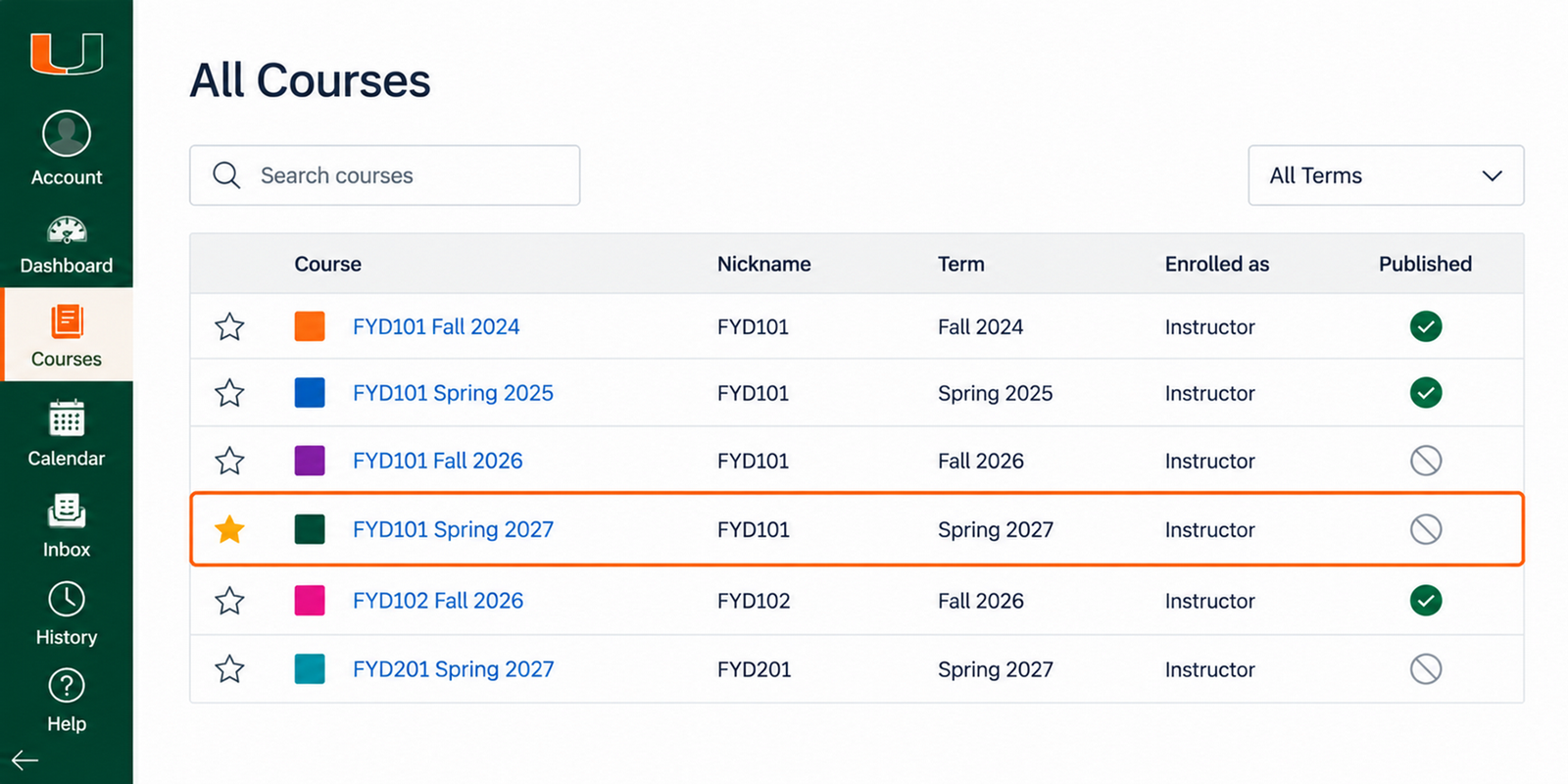
- From the Canvas navigation menu, select Courses, then All Courses.
- Locate your migrated course. Migrated courses are identified by "migrated" in the course name and ID.
- Open the migrated course to review its content before copying it into your live Canvas course.
For 2025 courses: Check the Migration Exception Log for items that may require manual adjustments. Within your migrated course, select Pages, then All Pages, and open Migration Exception Log.
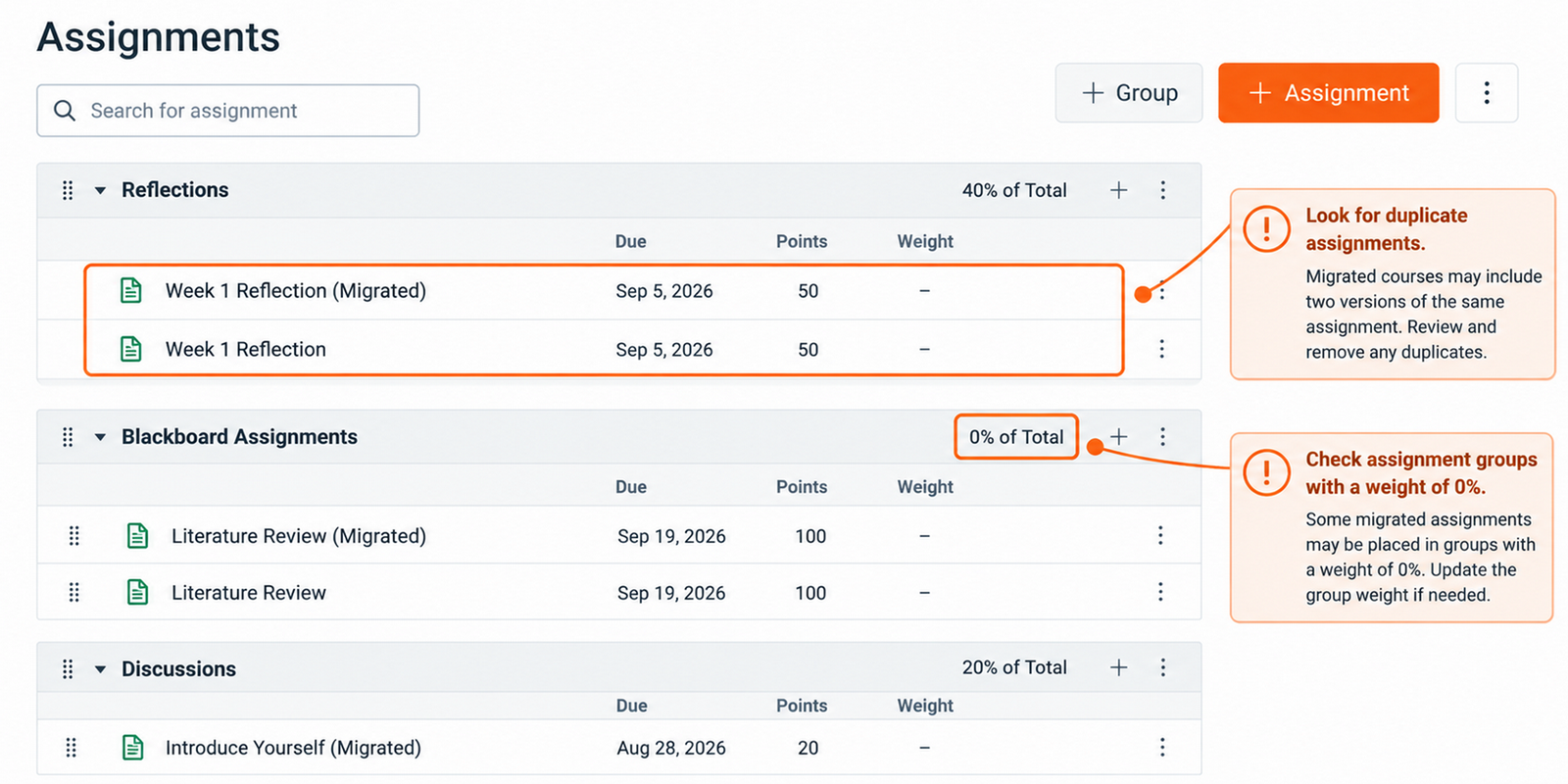
Remember: Migrated courses are intended for reviewing and reusing content, not for teaching students directly. After copying materials into your live course, make your updates there. You can also review the Reviewing Migrated Content section below for guidance on items that may need manual correction.
Existing Canvas Content
If you've previously taught a course in Canvas, you may be able to reuse that content directly.
- Copy materials from a previous Canvas course into your new live course.
- Reuse existing modules, pages, assignments, and other course materials.
- Review and update materials as needed for the new semester.
Good to Know: What's a Live Course?
Your live course is the official Canvas course for the semester in which you're teaching. It's where students are enrolled and where you'll manage course activities, assignments, and grades.
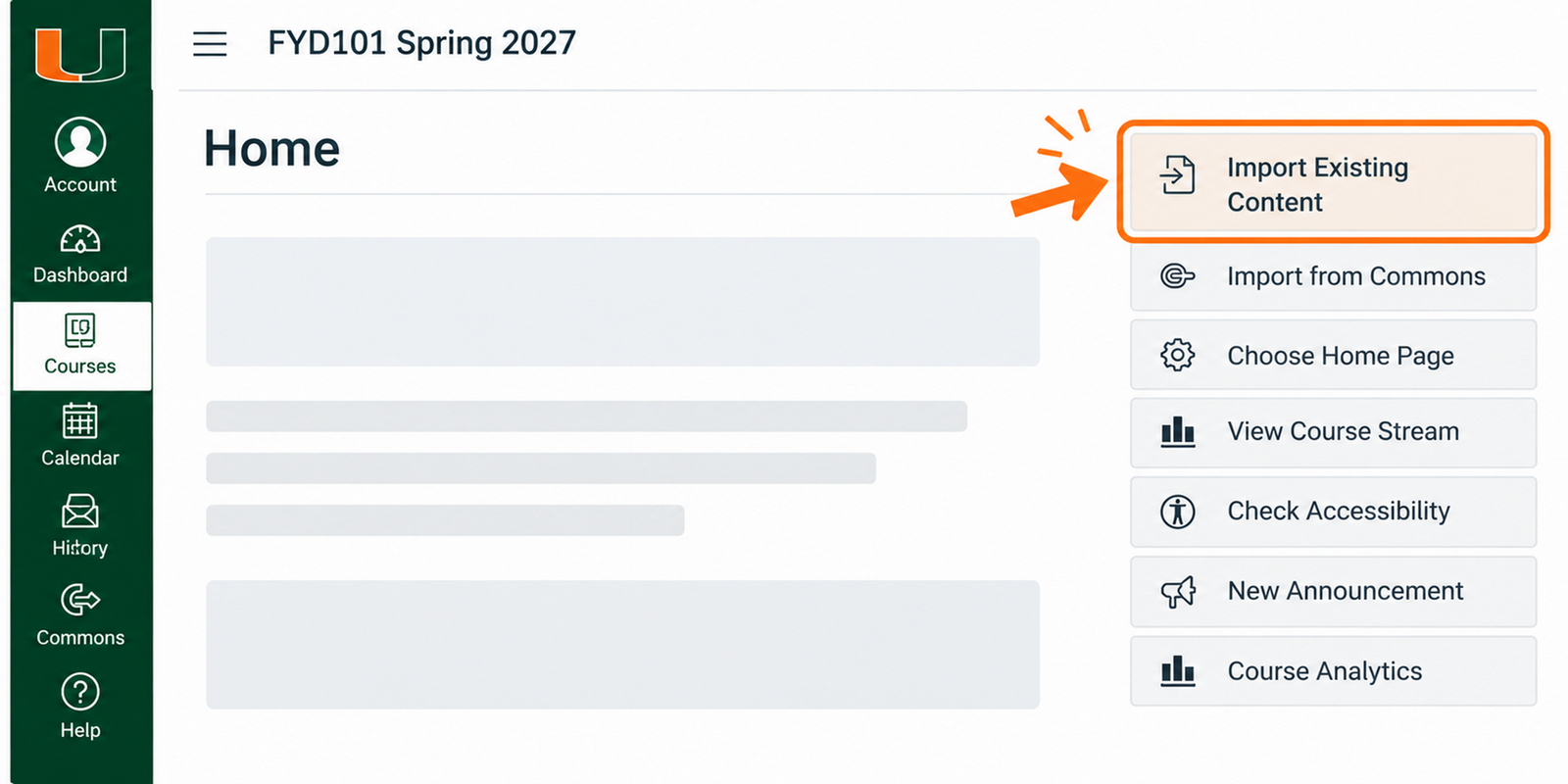
Regardless of where your content comes from, always begin the copying process inside your live Canvas course.
Don't See Your Course?
Not all Blackboard courses were included in the migration. For example, older courses, such as those taught in 2020, may not have been migrated automatically.
- 2024–2026: Eligible Blackboard course materials were migrated into Canvas.
- 2021–2027: Blackboard course resources, enrollment information, and grade records are being retained according to the University's archival and record-retention procedures.
Where Should I Edit My Course Content?
We recommend making updates in your live Canvas course after copying your content.
Your migrated course serves as a starting point, while your live course is where you'll prepare materials for teaching. Copy your content first, then make any necessary changes to assignments, quizzes, modules, and other materials.
Why? Changes made in your migrated course won't automatically appear in your live course. Working directly in your live course helps you avoid duplicating work and ensures you're updating the materials students will use.
Not Sure What to Look For?
Watch our short video for examples of common cleanup tasks and what to check after copying your content.